
Bolt How-To’s
Disable Live Voicemail on iPhones

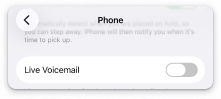
The Live Voicemail feature may be intercepting your test call before the call is forwarded to your assistant. Follow these instructions to disable Live Voicemail.
- 1. Open Settings

- 2. Scroll down, and tap Apps

- 3. Scroll down, and tap Phone

- 4. Scroll down, and tap Live Voicemail and turn it OFF
Still need help? Contact support.